Free, open-source Obsidian plugin for Nimble GMs

A GM toolkit as nimble as you are.

Manage your campaign, encounters, NPCs, dice rolls and more in Obsidian, so you spend more time at the table and less time in your notes.

  • 1Hover a monster
  • 2Roll an attack
  • 3Run the fight
  • 4Damage a hound
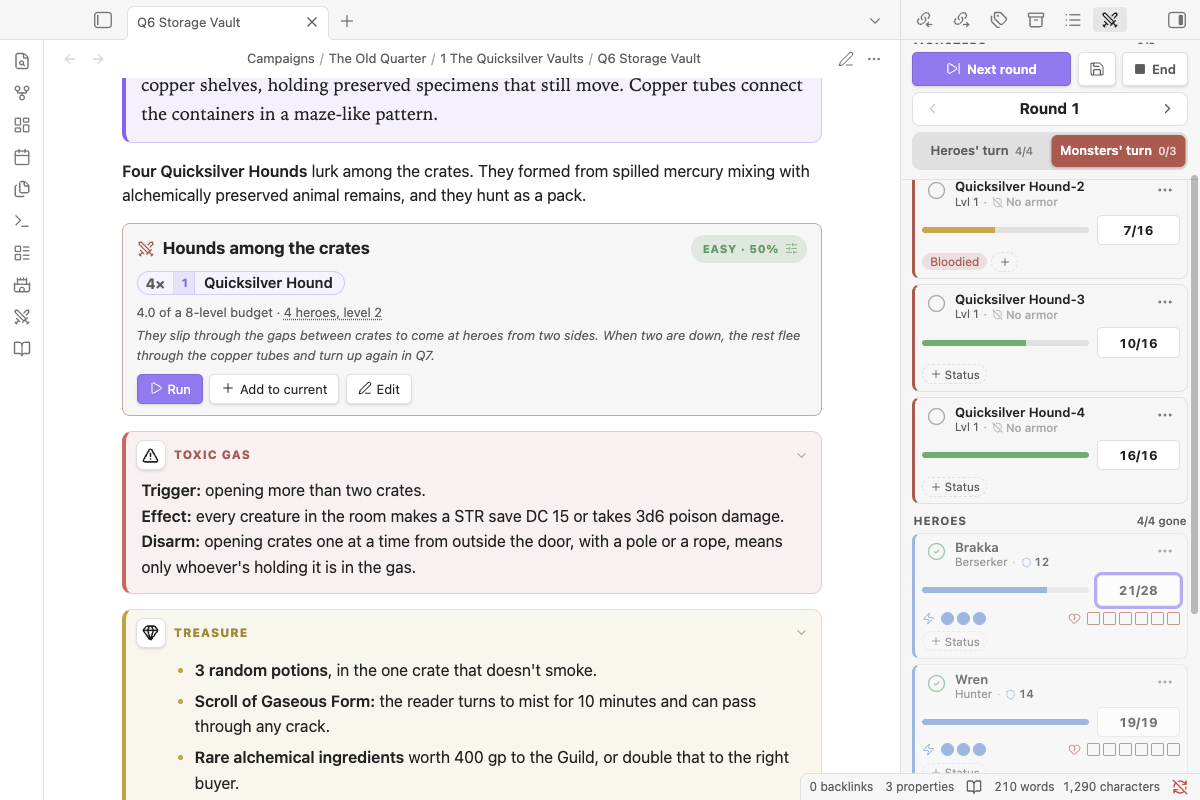
Ember Vault encounter block in an Obsidian note, with the combat tracker running four Quicksilver Hounds against the party

Less looking things up. More playing.

1

Build a fight in one line

Type /encounter 4 quicksilver hound. You get a block that rates the fight against your party, from Easy to Very Deadly, and suggests tweaks to hit the difficulty you want.
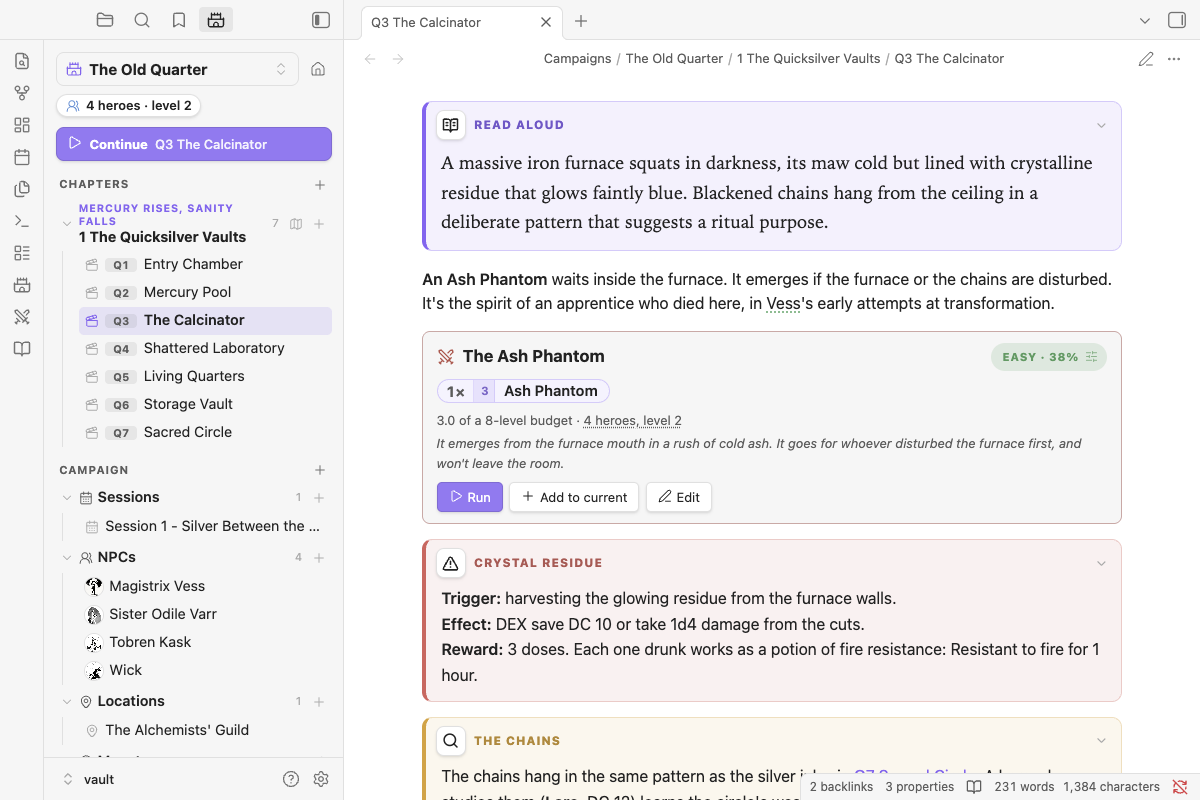
Encounter block rated Easy for a party of four level 2 heroes, with Run and Edit buttons
2

Let it do the math

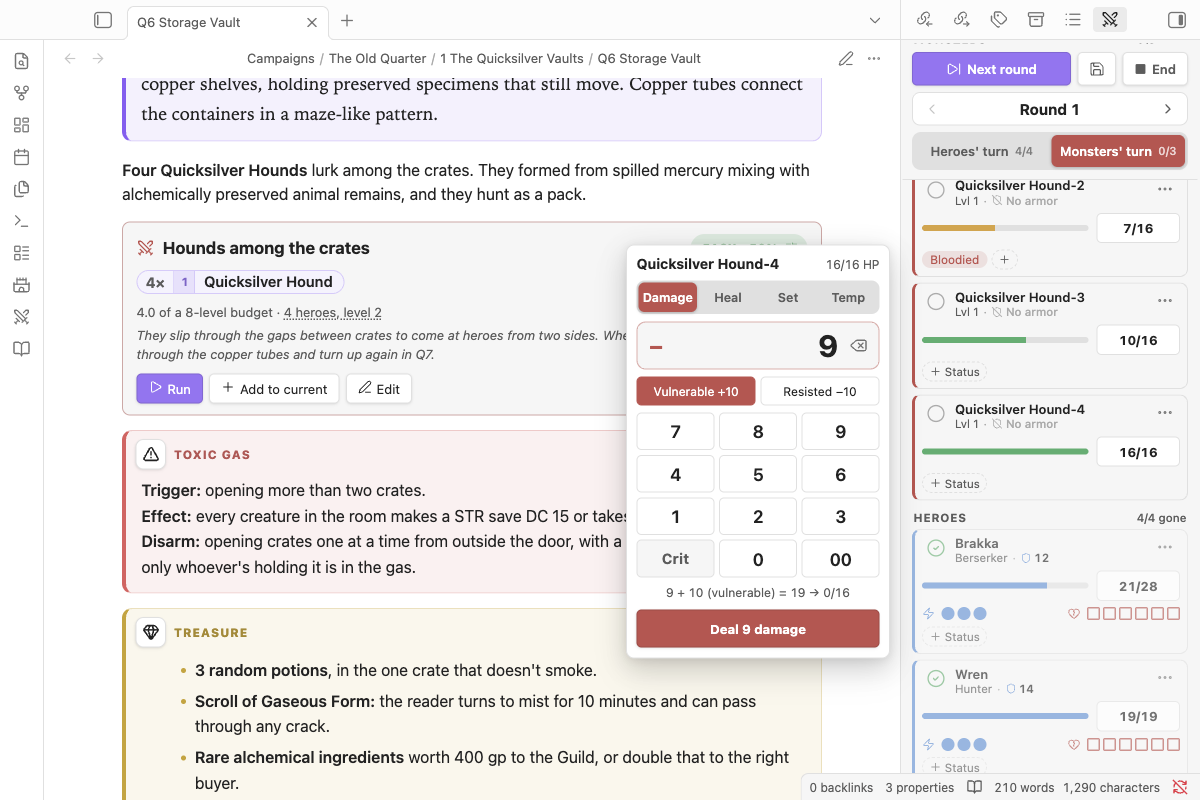
Tap a monster's HP. The calculator applies crits, armor, vulnerabilities and minion overkill, and shows you the sum before you commit. Bloodied and Last Stand pop up when they happen.

The HP calculator open on a Quicksilver Hound, showing 9 damage plus 10 for vulnerability before it is applied
3

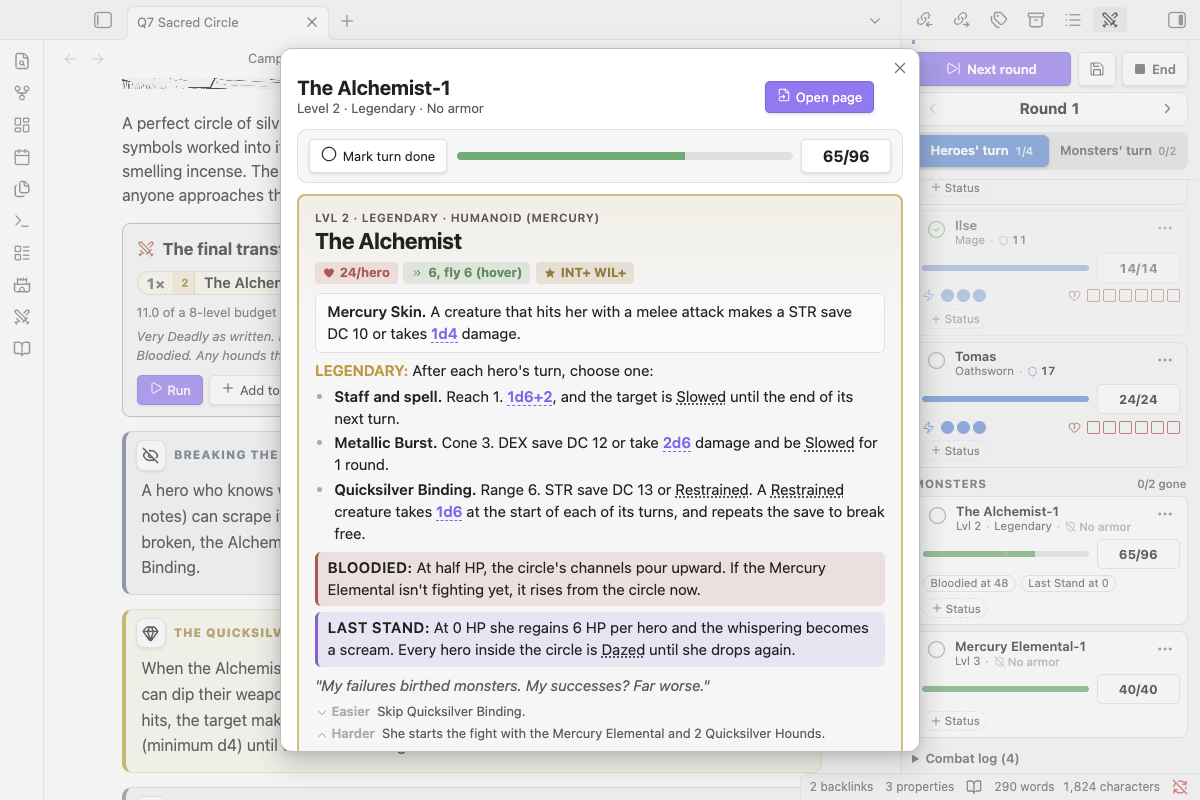
Stat blocks pop up over your note

Click any monster or NPC and their sheet opens over your note, with HP, turn and actions. Close it and you're right where you left off.

Quick look showing a legendary monster's stat block and HP over the scene note

Powered by the simplicity of Markdown.

Your adventure, your NPCs and your homebrew monsters are text files in a folder you control. Ember Vault adds the tools on top. Turn the plugin off and every note is still there, still readable.

  • Runs on your device with nothing to sign up for
  • Works offline, at the table or on the train
  • Syncs however you already sync Obsidian
  • Write your own monsters as ordinary notes
Q6 Storage Vault.md
---
nimble: scene
area: Q6
---

**Four Quicksilver Hounds** lurk among the crates.

```nimble-encounter
name: Hounds among the crates
party: true
monsters:
- 4 Quicksilver Hound
```

```box trap
**Trigger:** opening more than two crates.
```

Type a slash. Get a tool.

The rest of your GM toolkit

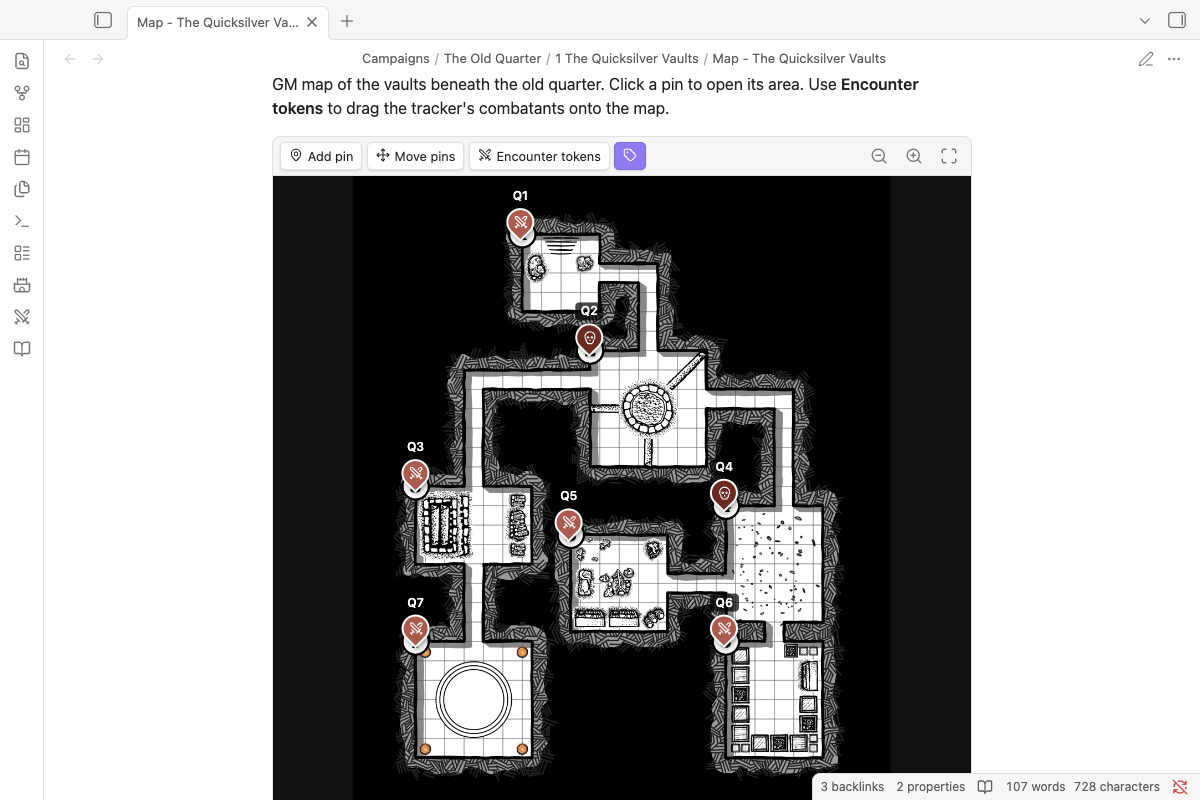
GM map in Obsidian with a pin on every room, linked to its note

Maps with pins

A pin on every room, linked to its note. Drag fighters on as tokens.

525 monsters, ready to drop in

Every monster from the Nimble GM Guide and Monsters & More, bundled and searchable.

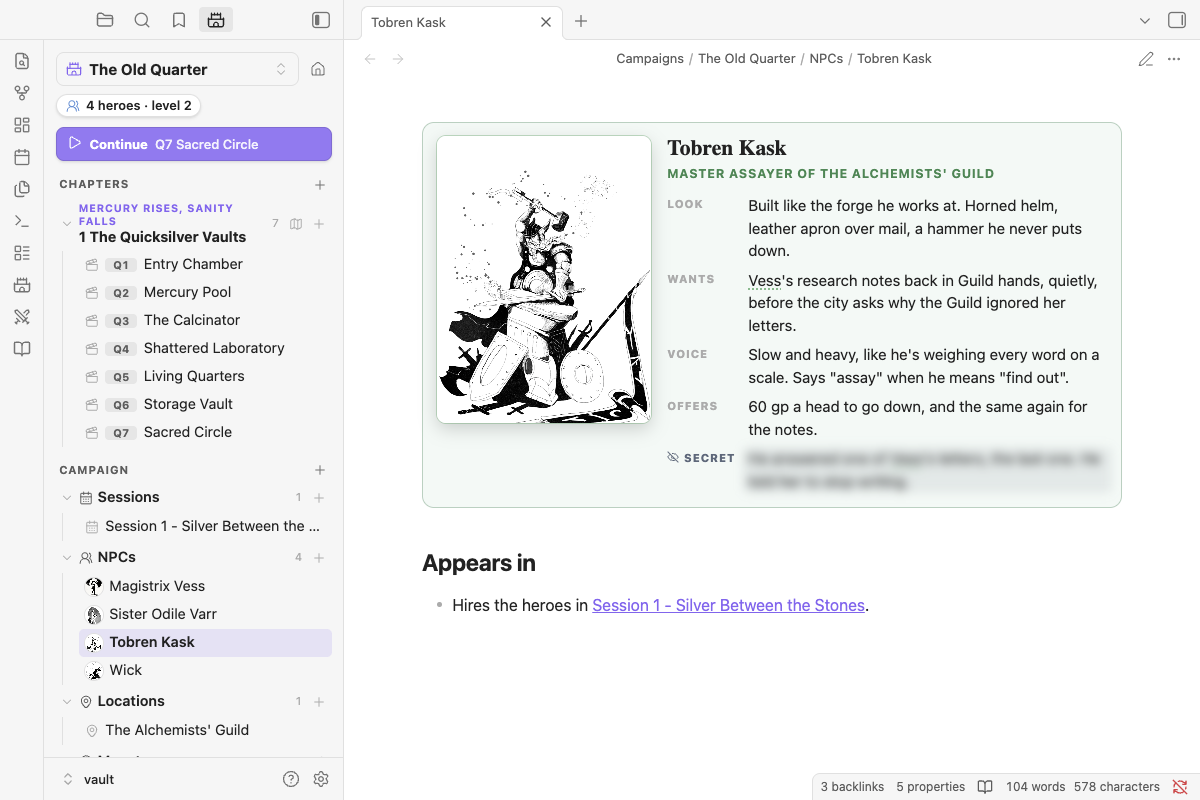
NPC character card with a portrait, notes and a blurred secret

NPCs with faces

Portrait cards, with a secret you reveal when nobody's looking.

Read-aloud boxes

Read-aloud text, traps, treasure and clues, each styled so you spot them mid-session.

Dice, two ways

Choose between quick dice results or 3D dice.

Delve into the Quicksilver Vaults

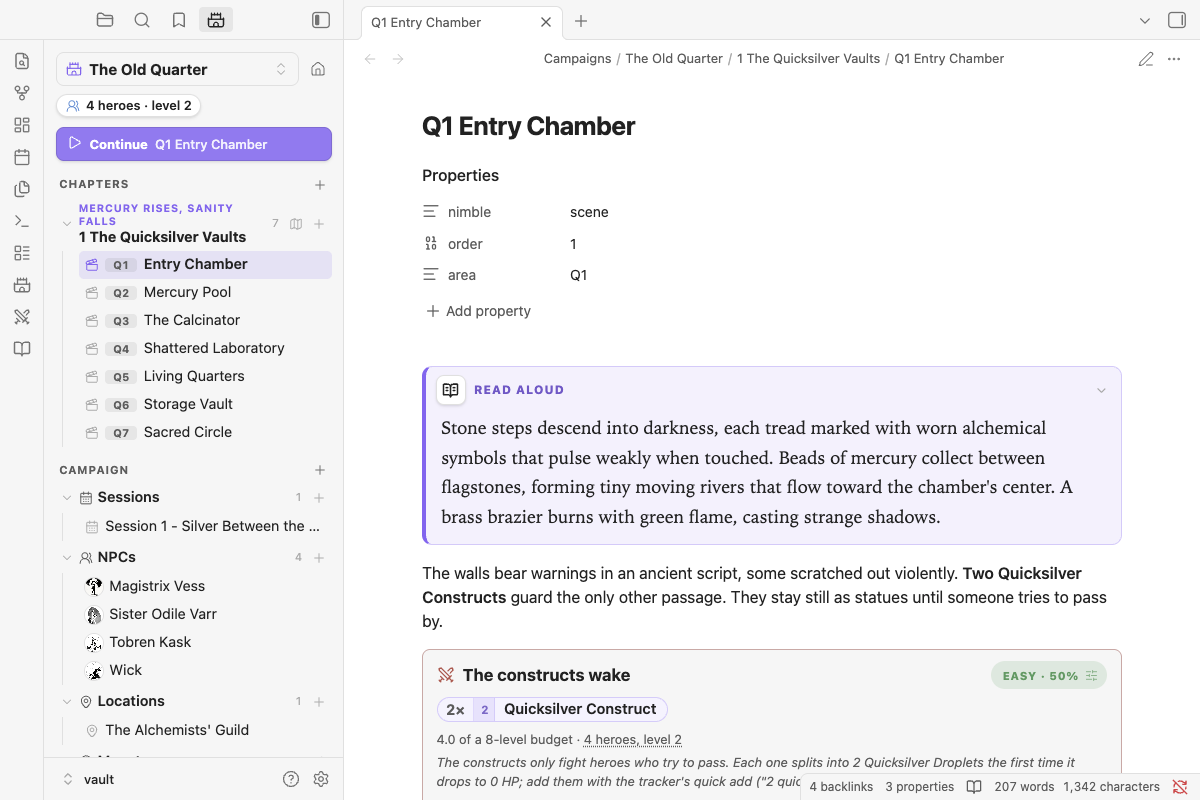
Can your party survive the madness of Magistrix Vess? Seven rooms beneath the old quarter, a map, NPCs, custom monsters and a half-mercury boss, ready to run. Download the vault, open it in Obsidian, and mind the quicksilver.

The sample adventure's first room, with the Campaign panel listing every scene

Install in about a minute

  1. Open Obsidian and go to Settings → Community plugins → Browse.
  2. Search for Ember Vault, then click Install and Enable.
  3. Add your party in Settings → Ember Vault, then type /encounter in any note.