At the table
Combat tracker
On this page
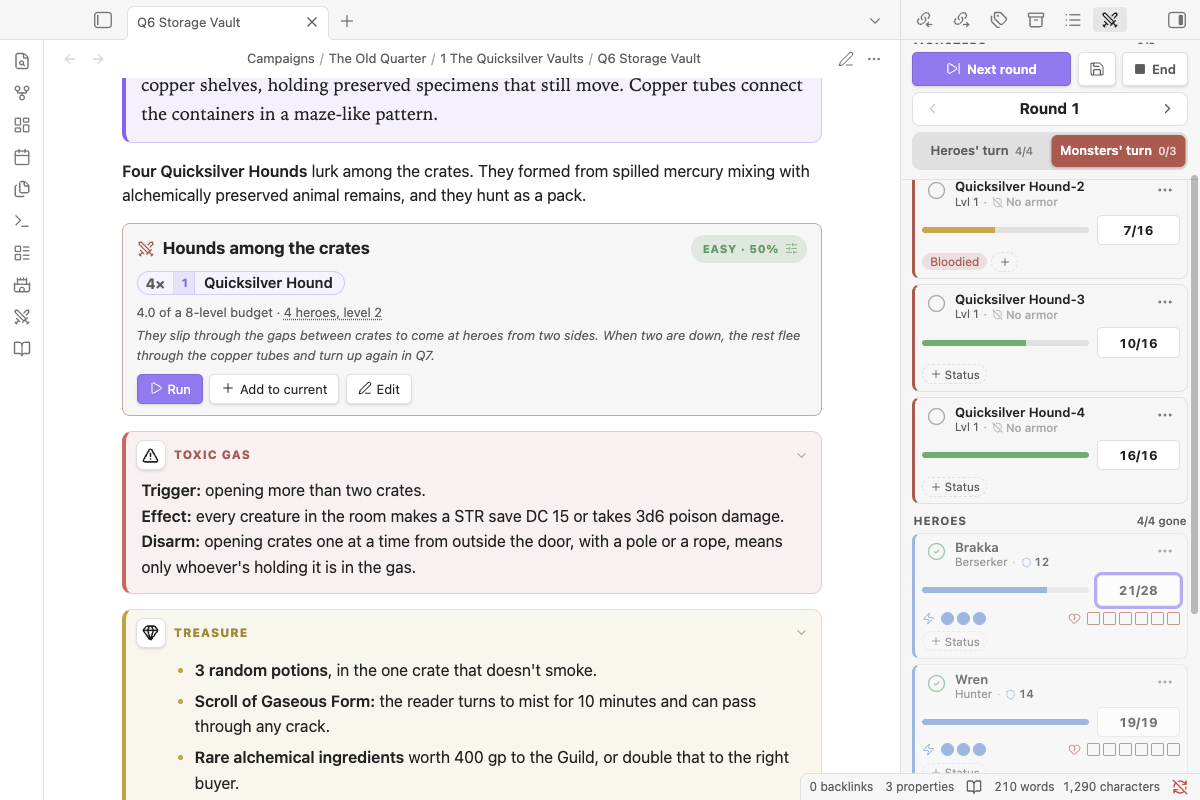
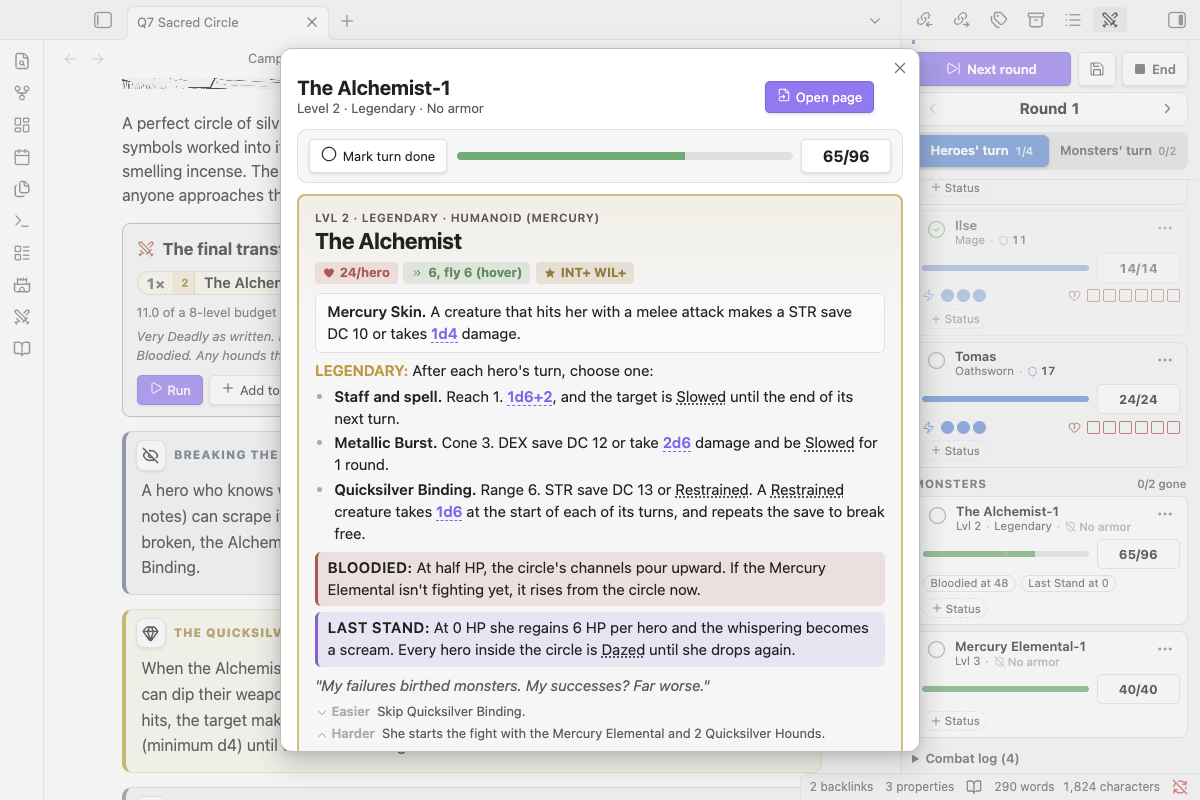
Nimble turn order: heroes act first, in any order, then the monsters.
Running a fight#
The controls stay pinned to the top of the tracker while the list scrolls.
- Start combat begins round 1 with the heroes' turn. During combat it becomes Next round, and End stops the fight. HP, Wounds and conditions are kept: Resume round N picks it back up, and New fight starts again at round 1.
- Save (the disk button) writes the fight to a note in a
Fightsfolder next to the note it came from. The note has a digest of where everyone stands and a Resume fight button. The encounter block in the original note offers Resume too, so you can stop mid-fight at the end of a session and carry on next time. - Round steps back and forward if you need to fix the count.
- Heroes' turn / Monsters' turn shows whose turn it is and how many have gone (
2/4), and whoever's turn it is sits at the top of the list. Tick the circle on a card when that combatant has gone. When every hero has gone, it switches to the monsters' turn by itself. Next round resets everyone and counts durations down. - Add monster opens a search of the whole bestiary, your own monsters included, with filters for Regular, Minion, Legendary and your own monsters. Each row has a quantity and an Add button, and adding from a row keeps the dialog open so you can build a whole fight at once. Typing
3 goblinstarts the quantity at 3; Enter adds the selected row and closes. Add party appears until your heroes are in.
HP: the calculator#
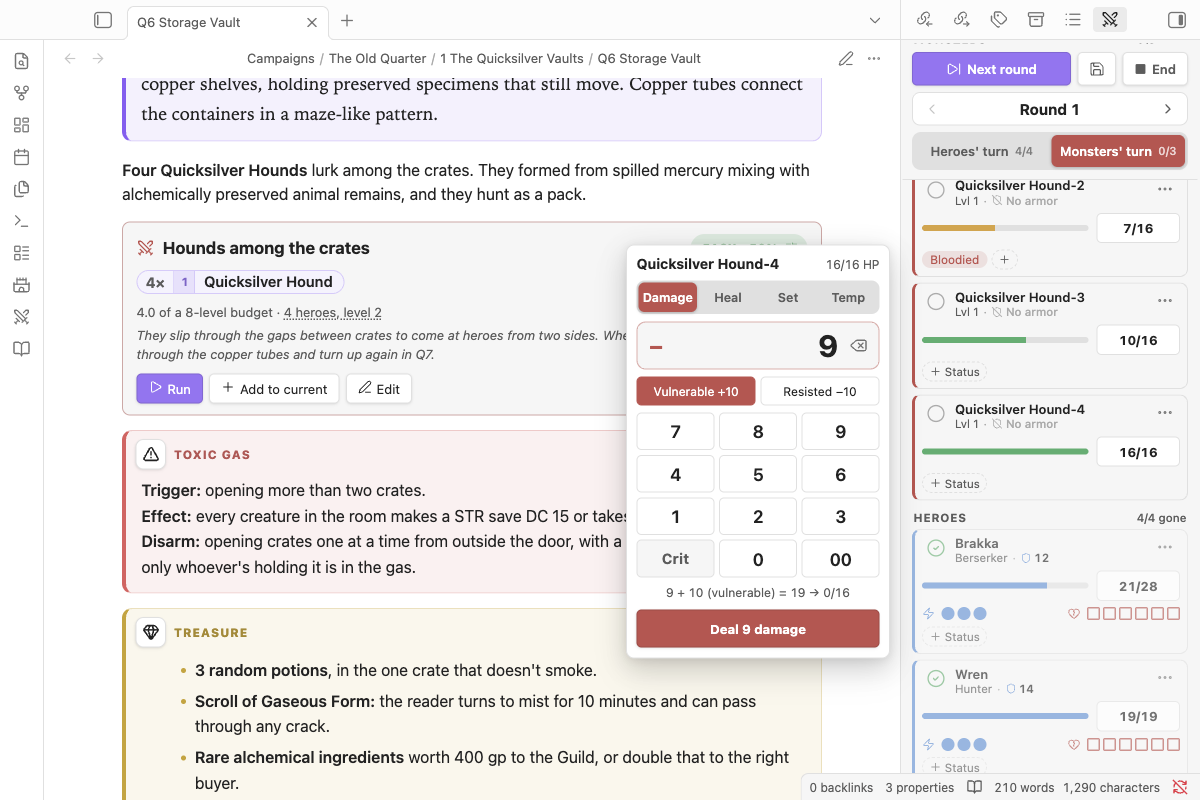
Click or tap a combatant's HP. A calculator opens beside the tracker (a bottom sheet on phones):
- It starts on Damage. Switch to Heal, Set or Temp HP at the top.
- Crit is on the keypad. Monsters also get Vulnerable +10 and Resisted −10. These only apply to damage; the keypad stays the same size in every mode.
- Hold the delete key (⌫) to clear.
- The line above the button shows the result before you apply it, armor included:
15 − 10 (Medium armor) = 5 → 19/24. - With a keyboard you can just type:
12then Enter for damage,12!for a crit,+5to heal,=20to set HP,t5for temp HP,12v/12rfor vulnerable / resisted. Escape closes it.
Quick look#
Click anyone's name in the tracker (or View stat block in their ⋯ menu) and their sheet opens over the tracker instead of sending you to their page:
- Monsters show their full Nimble stat block, with clickable dice and condition names.
- Heroes show their page, if your vault has a note with their name.
- At the top is the fight: Mark turn done, the HP bar and HP button (tap for the calculator), actions and Wounds for heroes, and statuses. It stays live as the fight changes.
- Open page (or Open in bestiary) goes to the note when you do want it. Escape closes the quick look.
Reading a card#
Each card shows the name, then a line with the level (or a hero's class and their Defense shield) and the monster's armor: No armor, Medium (−10 per hit) or Heavy (−20). Below that is the HP bar with the HP button beside it.
Rules it handles#
- Monster armor: Medium (−10) and Heavy (−20) are subtracted automatically, and crits ignore armor.
- Heroes: action pips (set them from Initiative: 1–9 → 1, 10–19 → 2, 20+ → 3) and Wound pips sit on one line under the HP bar. Dropping to 0 HP adds 1 Wound and makes the hero Dying; damage while Dying adds 2 Wounds (3 on a crit).
- Minions share one row with a pip each. Any hit drops one; big hits drop more (one per full die of damage). Group attack rolls all of them at once: 1s miss, no crits, and one Defend covers the total.
- Legendary monsters have HP scaled to the party, and act after each hero's turn: click their name to see their choices, with clickable dice. Bloodied and Last Stand appear as prompts, and Apply handles Last Stand HP (regain per hero, or a final damage pool with armor).
- Statuses: all the 3.2 conditions plus minor statuses and your own custom ones. Apply one for a set number of rounds or until removed; Empowered and Weakened take a value. Durations count down when that combatant's turn ends.
- Combat log and summary: in the ⋯ menu, Copy summary, or Append summary to source note for your session log.
Several encounters at once#
Turn on Multiple encounters in settings to keep more than one fight in the tracker (a running fight and the next room, say) and switch between them.